


Demon Tiles: Piano Music Game
4.650.00 Reviews
App Specs
- Version
- 2.29.1
- Updated On
- License
- Free
- Downloads
- 1,000,000+
- Developer
- Rhythm Hero: Good Music Games
- Categories
- Music
- Platform
- Android
Screenshots



 Analysis by AppCompare
If you're looking for a fun and addictive way to test your musical skills, Demon Tiles: Piano Music Game might just be the perfect app for you. I recently downloaded it, and let me tell you, it’s a wild ride! This game combines the thrill of music with the challenge of quick reflexes, making it a must-try for anyone who loves a good tap-based game.
What a first-time player should expect
I’d approach this as a quick rhythm game rather than a piano-learning tool. The point is to react to tiles in time with music, not to learn notes, read sheet music, or practise a real instrument. That distinction matters: if you want a light challenge for a short break, the idea is easy to understand; if you want structured music lessons, you’ll be better served by a dedicated learning app.
The game is listed in the music category and comes from Rhythm Hero: Good Music Games. It is free to download, has an Everyone age rating, and has reached over a million installs. Its average rating is 4.6 from around 7,800 ratings, which gives a useful sense of how it has landed with players, though I’d still judge it by whether its tap-and-rhythm loop suits you.
Before starting, I’d also keep expectations grounded about what “music game” means here. The appeal is the timing challenge and the way the on-screen action follows a track. It can make familiar kinds of melodies feel engaging, but success comes from accurate taps rather than musical knowledge. That makes it approachable for someone who has never played piano, while leaving less room for anyone hoping to build technique away from the screen.
Getting Started with Demon Tiles
First things first, downloading Demon Tiles: Piano Music Game is a breeze. It's available for both Android and iOS, so you can easily find it on the Google Play Store or the Apple App Store. Once installed, you're greeted with a sleek and dark-themed interface that sets the mysterious tone of the game.
The current version is 2.29.1, and the listed minimum operating-system requirement is 7.0. I’d check that your device has enough free space and that the game runs comfortably before settling in for a longer session, especially if you’re using an older phone. A rhythm game depends on responsive touch input, so a screen that occasionally misses taps can make a fair challenge feel frustrating.
Make the first session count
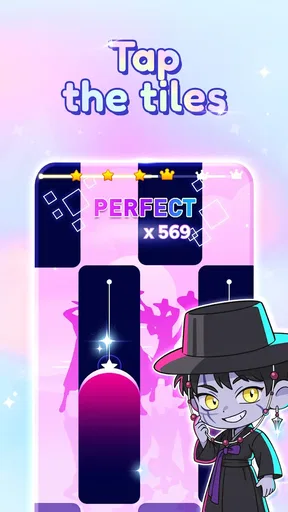
The initial setup is user-friendly. You’re taken through a quick tutorial that explains the basics: tap the black tiles to keep the melody going and avoid the white ones. It sounds simple, but trust me, things get intense quickly!
Worth Reading Before You Choose

EA SPORTS FC Mobile 26 Is a Bigger Football Game, but It Takes Time

Flipboard Shows What News Apps Must Do Beyond the Feed

Switching to Android Auto Means Rethinking Your Driving Routine

Google Calendar Makes a Crowded Week Easier to Manage

Ludo King Makes the Most of the Minutes Between Plans

Baby Panda World Brings Quick Play to Modern Phones, but Its Game Library Feels Busy
For a first attempt, I’d focus on one thing at a time: watch where the next tile is going, then tap deliberately rather than trying to race ahead. This is a small but useful adjustment because early misses often come from looking too far down the screen or tapping in a hurry. Once the basic pattern feels familiar, you can pay more attention to the rhythm and build a steadier response.
A realistic way to fit it into the day is to play a short round while waiting for a drink or taking a quick break between tasks. I wouldn’t start with the goal of setting a personal record; I’d use that first session to learn how the tiles arrive and how the controls feel on my particular device. When a run ends, a brief pause before restarting can help you notice whether the miss came from timing, attention, or simply moving too fast.
The Gameplay Experience
The gameplay in Demon Tiles is where the real magic happens. You’re given a selection of popular and original piano tracks, and your task is to keep up with the music by tapping the black tiles as they scroll down the screen. It’s all about rhythm and precision, and there's nothing quite as satisfying as nailing a tricky section perfectly.
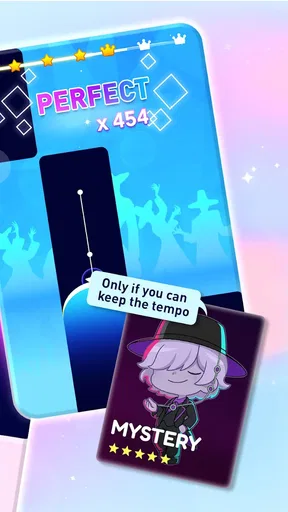
As you progress, the speed increases, and so does the complexity. The game does a fantastic job of keeping you on your toes, and each level feels like a new challenge. There are also different modes to explore, like the endless mode, which tests how long you can keep going without missing a beat.
That rising pressure is a strength when I want a focused, active game, but it is also the point where the experience can stop feeling relaxing. If I’m tired or distracted, faster patterns are more likely to turn a casual round into a string of avoidable errors. I’d treat the difficulty curve as a reason to play in short bursts: stop when concentration fades, rather than pushing through and blaming the game for mistakes caused by fatigue.
Compared with a conventional piano-tile game, this is still best understood as a reflex challenge with a musical frame. It is less suitable than a rhythm game built around instruments or detailed performance scoring if you want to practise a specific musical skill. On the other hand, the simple tap action asks less of a newcomer than games that expect familiarity with multiple controls or a complex chart. The trade-off is clear: easy entry, but not a substitute for deeper rhythm training.
Features that Stand Out
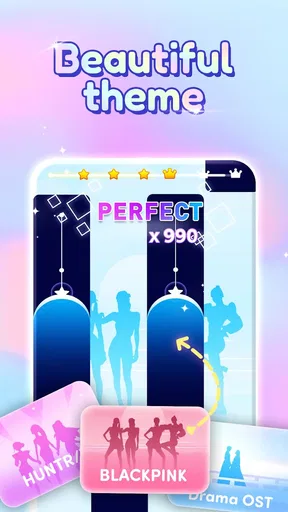
One of my favorite features in Demon Tiles is the song library. There’s a variety of tracks available, ranging from classical to pop hits. You can even unlock more songs as you level up, which adds a nice layer of motivation to keep improving.
The graphics are simple yet effective, and the sound quality is top-notch, which is crucial for a music-based app. I also appreciate the option to adjust the difficulty level, making it accessible for both beginners and seasoned players.
For a smoother first session, I’d choose a difficulty that lets me follow the visual pattern without feeling rushed, then raise the challenge only after I can complete a section consistently. That approach makes it easier to tell whether a song is difficult because of its pace or because I have not yet settled into its timing. If I keep changing difficulty after every miss, it becomes harder to learn what actually needs work.
One practical trade-off with a track-based game is that the same song can feel different depending on my mood and attention. A lively track may help me stay engaged during a short break, while a demanding run is a poor fit when I need to divide attention between the screen and something else. I’d play with the phone held comfortably and give the screen my focus; trying to tap while walking, talking, or handling another task defeats the point of a timing game.
Another cool aspect is the ability to compete with friends or other players globally. This adds a competitive edge to the game, as you can see how you rank against others.
I’d use rankings as motivation rather than as a measure of whether I’m “good” at music. A leaderboard can encourage another attempt, but it also compares your result with other players instead of showing whether your own timing is improving. If competition makes a casual game stressful, it is perfectly reasonable to ignore that layer and treat each run as a personal challenge.
Where it fits—and where it doesn’t
I can see this game working especially well for someone who likes quick, touch-based challenges and wants music to make a familiar reflex loop more lively. It also suits a first-time player who wants to understand the basic action quickly instead of learning a complicated control scheme. The free price makes it easy to try, and the Everyone rating makes its intended audience broad.
I would skip it if my main goal were to learn piano, practise reading music, or explore arrangements in depth. I’d also look elsewhere if I wanted a calm listening experience: the increasing pace makes attention part of the challenge. Someone who dislikes repeating a section after a mistake may find the retry loop less satisfying than a music app or a slower rhythm game.
One question a new player may have is whether musical experience is necessary. In my view, it isn’t: the basic task is based on responding to the tiles, so a beginner can start without knowing piano. The more useful question is whether you enjoy coordinating sight and touch under time pressure. If you do, musical familiarity is a bonus rather than a requirement.
Wrapping It Up
Overall, Demon Tiles: Piano Music Game is a delightful mix of music and mechanics that keeps you engaged. Whether you’re looking to kill some time or seriously improve your piano tapping skills, this app has got you covered. It's free to play, though there are in-app purchases available if you want to enhance your experience further.
For me, its best use is a short, focused break: pick a track, settle into the pattern, and treat a clean run as a small win. If the game’s faster sections start to feel more irritating than fun, switching to an easier challenge or putting it down is a sensible choice, not a failure. Its appeal rests on quick reactions and repeat attempts, so it works best when that is exactly what I’m in the mood for.
So, if you're ready to put your reflexes to the test and enjoy some great tunes along the way, give Demon Tiles a shot. It's definitely worth a download!
Pros
- Engaging gameplay with rhythmic challenges.
- Wide variety of popular music tracks.
- Visually appealing with dynamic graphics.
- Smooth and responsive touch controls.
- Regular updates with new content.
Cons
- In-app purchases can be costly.
- Ads may interrupt gameplay frequently.
- High difficulty may frustrate beginners.
- Requires internet for some features.
- Limited genre diversity in song list.
FAQs for Demon Tiles: Piano Music Game
What is the main objective of Demon Tiles: Piano Music Game?
Demon Tiles: Piano Music Game is a rhythm-based game where players tap on tiles in sync with the music. The objective is to achieve the highest score possible by accurately hitting the tiles as the music plays. The game features various difficulty levels and a wide range of songs to keep players engaged.
Is Demon Tiles: Piano Music Game free to play?
Yes, Demon Tiles: Piano Music Game is free to download and play. However, it contains in-app purchases and ads. Players can purchase additional features, songs, or remove ads through these in-app purchases, enhancing the gaming experience. It's a good idea to check the app's store page for detailed pricing information.
What type of music can I expect in Demon Tiles: Piano Music Game?
The game offers a diverse selection of music, ranging from classical piano pieces to contemporary hits. It includes various genres to cater to different musical tastes. Regular updates often introduce new tracks, ensuring that players always have fresh content to enjoy and master.
Does Demon Tiles: Piano Music Game require an internet connection?
While Demon Tiles: Piano Music Game can be played offline, some features such as downloading new songs or accessing certain in-game events may require an internet connection. Playing offline limits these features, but the core gameplay remains accessible without connectivity.
How does the difficulty level work in Demon Tiles: Piano Music Game?
The game offers multiple difficulty levels to accommodate different skill sets. Beginners can start with easier tracks that have slower tempos, while experienced players can challenge themselves with faster, more complex songs. Each level is designed to test players' timing and reaction skills progressively.


